See where your space actually went, sweep through thousands of photos in minutes, and
get back anything you deleted by mistake — deletions go to a recycle bin first
(photos, videos and audio use Android’s own system trash, which exists on Android 11 and later).
Every “freed” figure equals what was really deleted, and you can cross-check it
against your phone’s own storage screen.
Recycle bin behind every delete (Android 11+ for media)
5delete entry points — photo cleanup, large files, duplicates, the storage map and folders you choose — and each one offers the recycle bin first, so you can undo
0file names, paths or file contents handed to the advertising or telemetry SDKs
14languages, all shipped inside the APK
See it. Sweep it. Undo it.
Every screen shows what it found, what it will remove, and lets you take items off the list first.
Storage map — see it
A map of your storage in blocks, sized by what they actually take up. Drill from a category down to a folder and then to a single file. Where Android will not let any app look inside — Android/data, for example — we say so instead of filling the gap with a guess.
Browse only · no rename, no move
Recycle bin — undo it
Photos, videos, large files and duplicates go to a recycle bin before they are gone — they land in Android’s own system trash, and Android decides when they expire. Spacely shows you the real expiry date Android reports, never a number we made up. Restore in one tap. Android’s system trash exists from Android 11 on; on Android 8–10 there is none, so Spacely says so before you delete and those items are removed without a bin. Files from folders you picked always go to a recycle-bin folder, on every version.
“Moved to bin” is never counted as “freed”
Swipe decisions — sweep it
One photo at a time, full screen: swipe left to bin it, right to keep it. A running count shows how much you have marked. Nothing is deleted until you confirm at the end — and you can still take items back out of that list.
Screenshots · blurry · similar · big videos
Junk cleanup
Clears Spacely’s own cache, temporary and log files. Each group expands so you can uncheck individual items before deleting.
Real bytes · real progress
Large files & duplicates
Surface your biggest photos, videos and audio files; switch the threshold between 10, 50 and 100 MB. Similar shots are grouped with perceptual hashing and byte-identical copies with SHA-256 — all computed on your phone, with the best photo in each group left unchecked.
pHash + SHA-256 · computed on device
Folders you choose
Android lets a cleaner see photos, video and audio. For other files — documents, archives, installers — point Spacely at a folder you pick. It lists what is inside, biggest first, and anything you remove goes to a recycle bin inside that folder. Revoke access whenever you like. Spacely does not read your installed app list; a shortcut opens your phone’s own app settings.
You pick the folder · revoke anytime
Notifications, only if you want them
Turn on a quiet storage overview in your notification shade: free space, total capacity, when it was measured, and a block bar of your storage. Expand it to see up to three more real figures, such as what is pending in the recycle bin and the measured size of screenshots or large files. It comes on when you allow notifications, you can switch it off in Settings, and it is an ordinary notification, not a foreground service. Cleanup suggestions each state one measured fact — such as Trash items still using storage — and open the screen that shows the same number. They come with a daily limit, only while your screen is on (one can appear on your lock screen), and you can turn them off in Android’s notification settings.
Overview can be switched off · real figures only
Home-screen widget
A 3×2 widget draws your used storage as a ring, with the figure out of your total capacity and the time it was measured, plus a View button that opens the storage map. A smaller 2×1 widget shows free space. Both update after a cleanup or when you leave Spacely, not continuously, and show the same numbers as the home screen.
Same figures as the app · add it only if you want it
Privacy
What changed — and what didn’t.
Spacely goes online. It is free and shows ads served by Google AdMob — app open,
interstitial and native ads — and it reports technical telemetry, so it declares the
INTERNET permission. You can manage ad privacy options in Settings.
Earlier releases shipped without ads, and the earliest without any network permission at all;
that is no longer true, and we have rewritten every page that used to say so rather than leave
a dead promise standing.
What has not changed is the one thing that mattered: your files are not on that route.
File data never reaches the advertising or telemetry SDKs. The module that hosts them
is compiled without Spacely’s file model on its classpath — it cannot
name a file, a path or a MediaStore URI, because those types are not visible to it.
This is not a claim that a third-party SDK is incapable of touching a filesystem; it is
a claim that Spacely never hands one a file, and the build enforces it.
No photo, thumbnail, file name, path or scan result is uploaded. Screenshot
detection, blur scoring and hashing all run on your phone.
No account, no sign-in, no cloud sync of your files. There is no way to send a
file off the device from inside Spacely.
Deletion still goes through Android’s own confirmation dialog, and lands in
a recycle bin you can undo (media: Android 11 and later).
./gradlew dependencyIsolationReport
// module graph, asserted on every build
:app ──> :core:modelfiles, paths, MediaStore URIs
:app ──> :notify
:notify ─✗─> :core:model
The module that hosts the advertising, notification and telemetry SDKs is built without our file
model on its classpath, and a check that runs with every build fails if that boundary is
ever crossed. The same report lists every dependency that module does have — including
the awkward ones — because a report you can disprove in one command is worth more than
a tidy one.
Real screens
Nothing here is a mockup
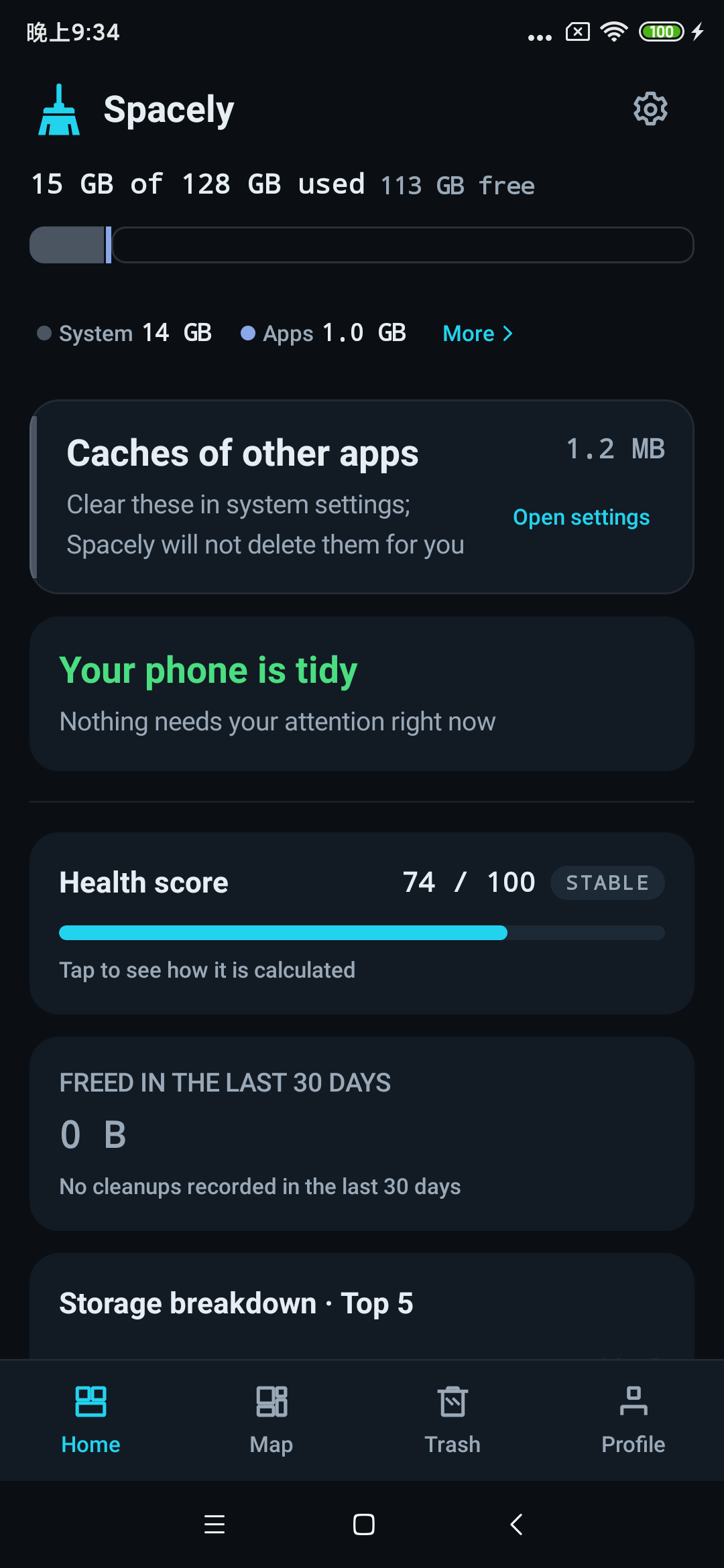
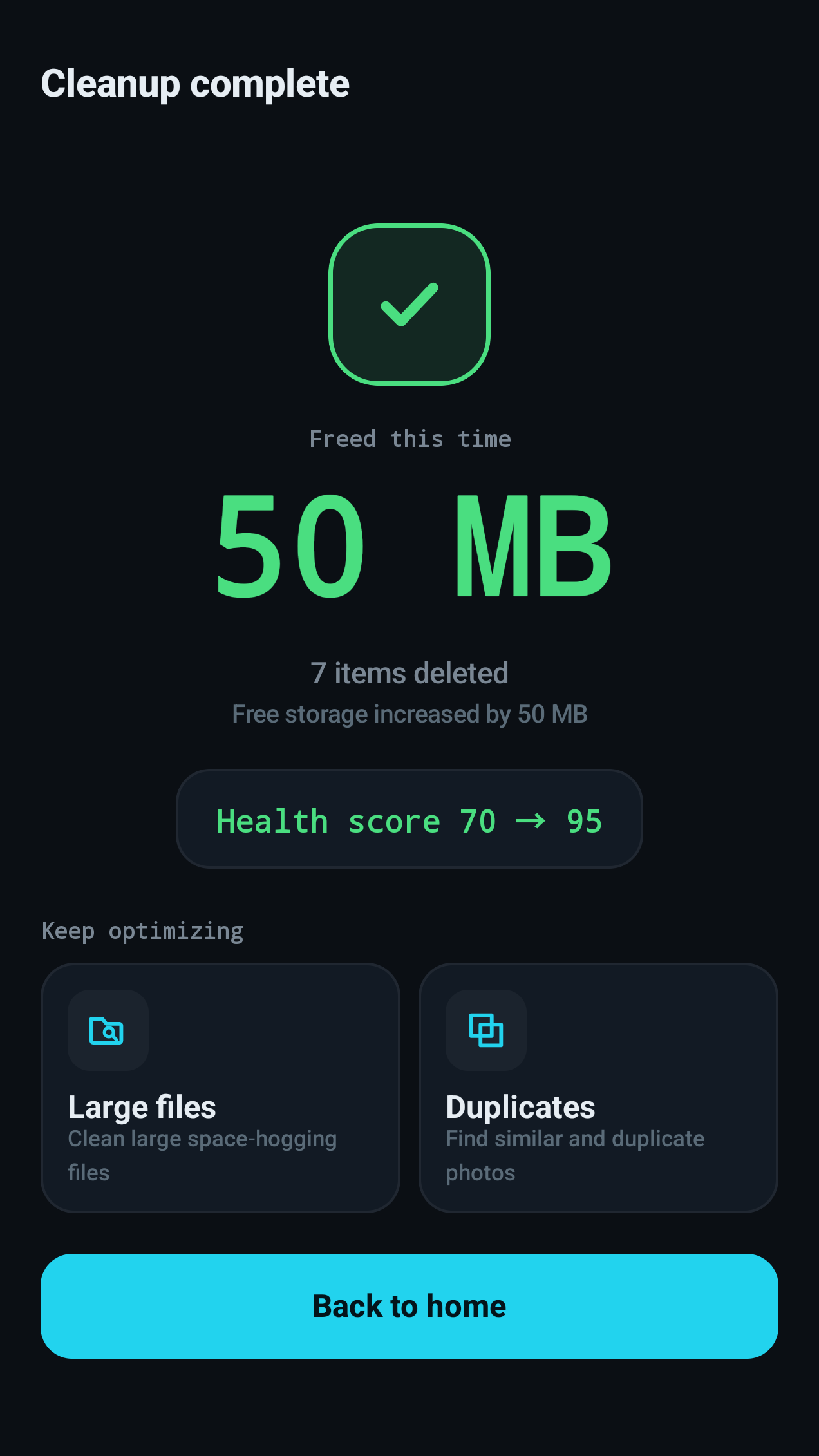
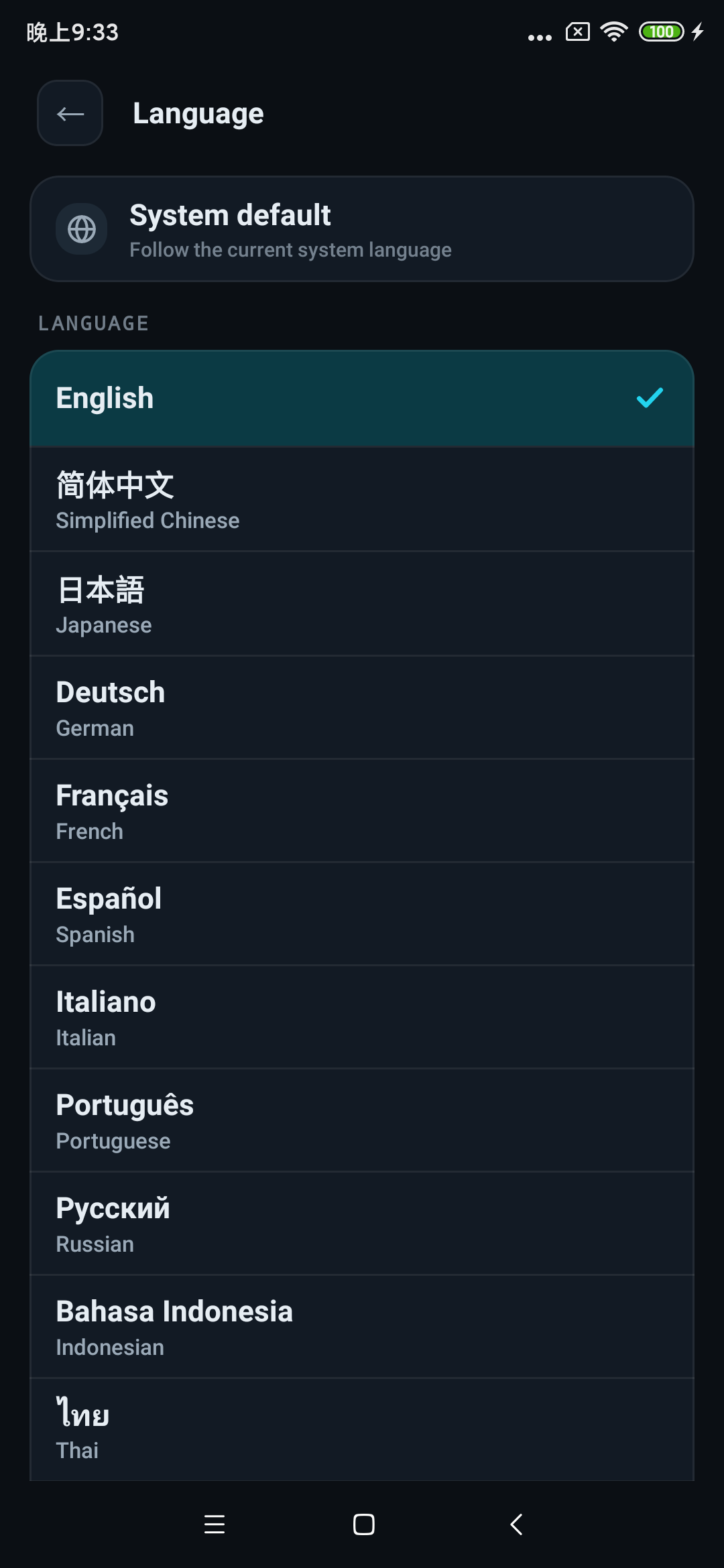
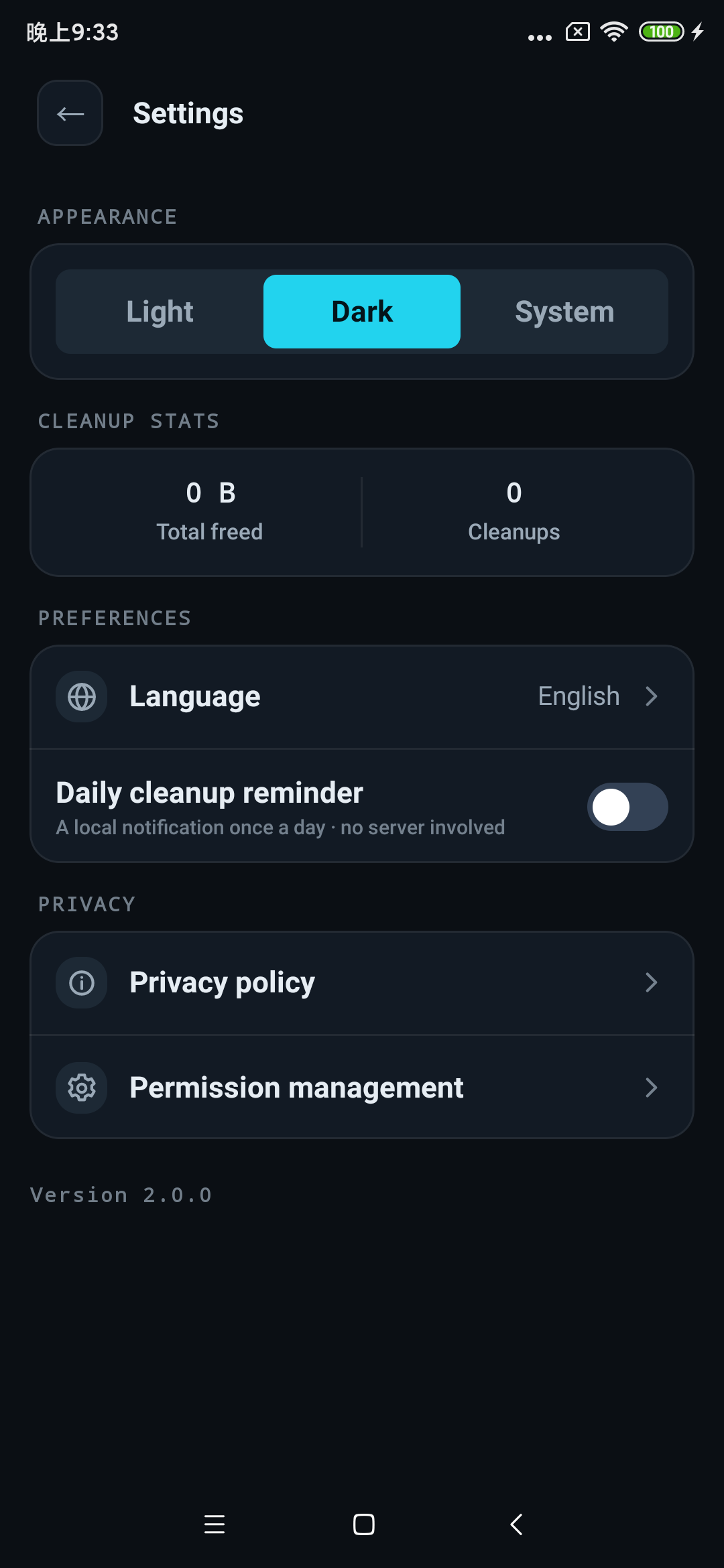
Every image comes straight from Spacely running on a physical Android phone.
The same number, everywhereEach row shows what that tool actually found — and the page it opens shows the same figure. Rows that need permission ask for just that permission, right where you are.
Real freed figuresWhat Spacely reports as freed equals what was actually deleted, and it also tells you how much free storage actually increased — you can cross-check both against your system storage screen.
14 languagesAll of them ship inside the APK. Switch at any time in Settings, or let the app follow your system language.
Settings you controlDark and light themes, your language, and the privacy policy one tap away.
Honest by design
Five things Spacely refuses to do
Storage cleaners have a reputation. These are the rules we hold ourselves to instead.
No invented numbers
Progress bars track real bytes being processed, not a timer animation. Every figure on
screen — found, selected, freed — comes from a real measurement you can verify in
Android’s own storage settings.
Nothing disappears behind your back
Every candidate is listed with its real size and can be unchecked. Photo and video
deletion goes through Android’s system dialog, and files from folders you chose go to a
recycle bin first. On Android 11 and later photos, videos and audio go to the system trash as well;
on Android 8–10 there is no system trash and Spacely tells you before deleting. Spacely never
removes anything silently.
No pretending to do the impossible
Android does not let any app clear another app’s cache. Spacely does not list them
either — reading other apps’ cache sizes would require usage-tracking access,
which we decided not to ask for.
No boost button
Android manages background memory on its own, so a “boost” button would be theatre.
Spacely has no memory screen at all: no released-megabytes figure, no emptying animation,
no rocket. It works on storage, where the bytes it frees are real.
No counting the bin as freed
A file moved to the recycle bin still takes up space, so it is shown as pending,
never as freed. “Freed” means the bytes are gone and your system storage screen
will agree. The two numbers are always kept apart.
Languages
14 languages, shipped in the APK
No downloads, no language packs. Switch in Settings, or follow your system language.
Englishen
日本語ja
Deutschde
Françaisfr
Españoles
Italianoit
Portuguêspt
Русскийru
Bahasa Indonesiain
ไทยth
Tiếng Việtvi
Bahasa Melayums
Filipinofil
हिन्दीhi
See, honestly, where your space went
Free, with ads (app open, interstitial and native). No in-app purchases, no subscription,
no paywall — every feature is available to everyone. Manage ad privacy options in
Settings. Android 8.0 and above.